It prints the demo model on Christmas morning. It prints a Benchy, a phone stand and something from Printables by New Year. Then a print fails, nobody knows why, and by February it is on top of the wardrobe with half a spool still loaded. Buying a 3D printer as a gift fails this way far more often than it fails on the machine, and the specific thing that stalls it is almost always small, cheap and predictable — which means you can buy around it now rather than troubleshoot it in January.
This post contains affiliate links. If you purchase through these links, 3D Prototyping Hub may earn a small commission at no extra cost to you.
This post also contains Amazon affiliate links. As an Amazon Associate I earn from qualifying purchases.
Where These Actually Die
| What happens |
What it really was |
| Prints the bundled demo, never prints an own file |
Finding and slicing a model is a separate skill |
| Great week one, dead by week four |
The 200g sample spool ran out |
| "It stopped working" after a failed print |
Bed adhesion or a partial clog — a ten-minute fix nobody could name |
| Set up on Boxing Day, never finished |
Assembly and levelling spent the recipient's entire enthusiasm budget |
| Used twice, then moved to the garage |
Noise, smell or a bedroom that was never the right room |
| Opened, read the resin warnings, closed |
Resin gifted to someone with no ventilated space or gloves |
Not one of those rows is fixed by a faster printer or a larger build volume. They are fixed by what else is in the box and what happens in the first hour.
The Demo Print Hides the Hard Part
Every machine ships with a pre-sliced file on the card, tuned by the manufacturer to the machine it came with. It works, and it proves nothing about the thing the recipient has to do next: find a model, scale it, orient it, generate supports, slice it with a profile they did not write, and get it off the plate intact.
That is the real first task, and it is where a gift quietly stops. The bundled file is the one print where every variable was already solved by someone else — the mechanism is laid out in why the included test print works and yours doesn't.
So plan the handover like a first lesson rather than an unboxing. Sit down together, open a model site, pick something small that the recipient actually wants, and run it end to end once. An hour spent that way does more for the machine's survival than any upgrade.
Buy on Setup Time, Not on Specs
Marketing sells build volume and top speed. For a gift, those are nearly irrelevant — the criterion that predicts whether a machine is still running in March is how much work stands between unboxing and a successful print.
Three things decide that:
- Automatic bed levelling. Manual levelling with a sheet of paper is the single most common place a first-time owner gives up, and it recurs every time the first layer looks wrong.
- A profile that already works. A machine with a maintained slicer profile prints a good part at default settings. One that expects tuning asks a beginner to debug before they have ever seen a good result.
- Assembly measured in minutes. Semi-assembled is fine; a kit of extrusions and wiring harnesses is a project in itself, and it is not the project the recipient was given.
In practice that puts the sensible gift range in the self-levelling, mostly-assembled tier. The Bambu Lab A1 mini sits there with a small build volume and full auto-calibration, and the Creality Ender 3 V3 SE is about the cheapest machine that still levels itself rather than asking its owner to. Buying direct from a maker is the other route, and ELEGOO's FDM printer range and Anycubic's entry-level printer range both cover the same tier with their own support channels, which matters more to a beginner than it does to a hobbyist with a spare parts drawer.
Tier-by-tier comparisons are in best 3D printers for beginners in 2026 and best budget 3D printers under $300 in 2026, and if desk space is the binding constraint, best mini 3D printers in 2026 covers the small end. One warning if you are shopping this week specifically: a holiday discount is often on a model the maker is clearing, and the reasons that matters are in why Black Friday 3D printer deals disappoint.
Resin Is a Different Gift Entirely
If the recipient wants miniatures, busts or jewellery patterns, resin is the honest answer on detail and a filament machine will disappoint them. It also arrives with a workflow attached, and that workflow is the gift.
Uncured photopolymer is a skin sensitiser. Prints come out wet and need an isopropyl wash and a UV cure before they can be handled normally, the vapour needs ventilation, and the waste is hazardous rather than ordinary household rubbish. None of that is exotic — thousands of people run it on a desk — but it is a routine somebody has to agree to in advance, which a surprise gift by definition skips. Sensitisation is also cumulative and does not reverse, as why resin printing starts irritating your skin sets out.
So: a reasonable gift for a committed teenager or an adult with a ventilated corner, and not a gift for a child. If that is the right call, buy the consumables with the machine — an ELEGOO Mars or Saturn with a box of nitrile gloves and a wash-and-cure plan, not a printer alone. The full routine is in resin safety and post-processing basics.
What Nobody Puts in the Box
The machine is complete in the sense that it will print once. It is not complete in the sense that someone can use it for a month.
- Filament. The included sample is typically 100-300g, enough for a handful of small prints. At least one full kilogram should be wrapped alongside it, and a multi-colour PLA bundle is better than a single colour for a recipient who does not yet know what they want to make. PLA only to start with — the higher-temperature materials need an enclosure and a tuned profile, which is a later problem.
- A tool kit. A basic printer tool kit covers the scraper, hex keys, tweezers and deburring tool. Without it, parts come off the plate with a kitchen knife and the plate does not survive the experience.
- Flush cutters. Flush cutters for support removal are what separate a model that looks finished from one that looks chewed. The first time a beginner tears supports off by hand, they conclude the printer is low quality.
- Spare nozzles and a glue stick. Both are consumables, both cost very little, and both turn a dead evening into a ten-minute fix.
The full accessory picture is in best 3D printing tool kits and accessories in 2026. Buy the consumables with the machine. A gift that needs a second order before it can be used properly tends to wait for that order indefinitely.
Week Three Is Where It Breaks
Three failures account for most abandoned printers, and each of them reads to a beginner as the printer is broken.
It won't stick to the plate. The first layer lifts or never adheres, which is nearly always a plate that needs washing with soap and water, a z-offset a fraction too high, or printing onto a cold bed. The complete order of checks is in why 3D prints don't stick to the bed.
The nozzle clogs. Extrusion thins out mid-print and then stops. A partial clog is a half-hour job with a cleaning needle and a cold pull, not a dead machine — see why 3D printer nozzles clog.
A new spool prints worse than the old one. Usually moisture, sometimes a genuinely different material behind the same label, and almost never a defective machine. Why a new spool of filament prints worse covers how to tell which.
What all three share is that they are legible to anyone who has seen them once and mysterious to anyone who has not. If you are giving the printer, give the recipient a way to ask — your own number, a forum, a local maker group. An unanswered question is what actually ends most of these.
Decide Where It Lives Before You Wrap It
A desktop printer is appliance-shaped and behaves like one. It takes roughly half a metre of permanent bench, it runs for hours, and it makes noise the whole time: stepper whine, fans, and a bed that moves. Stepper noise through a shared wall is a real cause of relegation to the garage, and the quieter machines and mitigations are covered in why 3D printers get loud.
Printing PLA produces a mild smell and ultrafine particles; ABS and similar materials produce considerably more, which is why they belong in an enclosure with filtration. Why 3D printers smell covers which materials and what actually helps. For the garage question specifically, a cold room changes the printer's behaviour as well as the owner's willingness to stand in it — why a cold garage ruins your 3D prints is the version of this problem that bites in January.
Then there is the hot end. A nozzle at 200°C and a bed at 60°C are not dangerous to a careful adult and are an obvious hazard around small children and pets, and both stay hot after the print ends. Put the machine somewhere supervised, on a hard non-flammable surface, not in a child's bedroom and not unattended overnight. The failure modes worth knowing about before you decide where it goes are in why 3D printers catch fire.
If the Real Wish Is the Object
Worth asking plainly before you buy anything: does this person want to make things, or do they want a specific thing made?
Those are different wishes and only one of them is a printer. Somebody who wants a replacement knob for a dishwasher, a cosplay helmet or a set of tabletop terrain is often better served by having it printed properly — in materials and at a quality a $250 desktop machine will not reach — than by taking on a hobby to get there. Printed parts from a service arrive finished, in nylon or resin or metal if the job needs it, with no calibration between the wish and the object.
That route is a few minutes in the provider directory, where shops are listed by process and location, and how to choose a 3D printing service covers what to ask once you have a shortlist. It is also the fallback if the printer does stall — the project that stopped is usually still worth finishing. The broader trade-off, for someone genuinely undecided, is in 3D printing services vs buying your own printer.
A Gift That Survives January
Five things, none expensive:
- Buy in the self-levelling tier and ignore build volume.
- Wrap a kilogram of PLA, a tool kit and flush cutters with it. The machine alone is a partial gift.
- Set it up before you give it if you can — assembly and first calibration are the least rewarding hour in the box.
- Print one thing together, chosen by the recipient, start to finish.
- Agree where it lives before it is unwrapped, with power, bench space and supervision settled.
Institutions get this wrong in exactly the same shape, for the same reasons — a machine arrives, nobody owns the first failure, and it stops. That version is in why classroom 3D printers sit unused, and the fix is the same at home: someone has to own the first month.
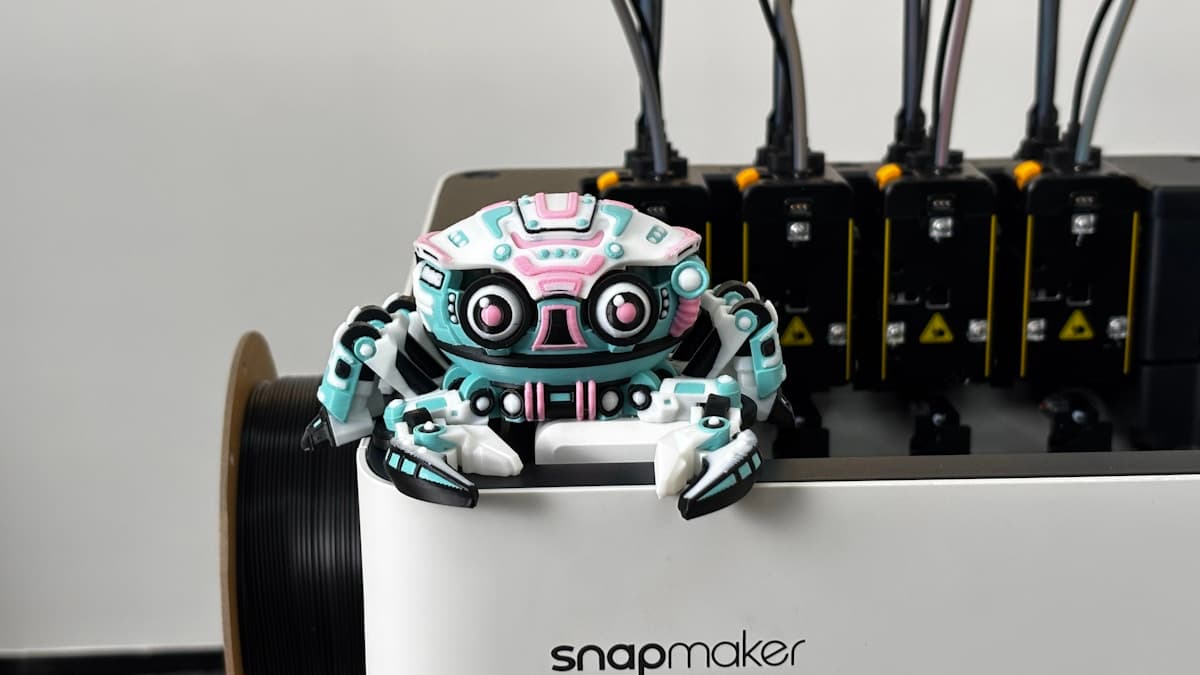
Hero photograph by Snapmaker 3D Printer via Unsplash.