The extruder starts ticking, the nozzle stops laying down plastic, and the print head carries on tracing an invisible part in mid-air. Nine times out of ten the reaction is to pull the nozzle off and poke at it — and nine times out of ten the nozzle is not where the problem is. 3D printer nozzles clog for four distinct reasons, only one of which is debris in the orifice, and the fix for each is different enough that guessing costs an evening. This guide gets you to the right cause from the symptoms, then clears it, then stops it coming back.
This post contains affiliate links. If you purchase through these links, 3D Prototyping Hub may earn a small commission at no extra cost to you.
This post also contains Amazon affiliate links. As an Amazon Associate we earn from qualifying purchases.
Read the Symptom Before You Touch a Spanner
A hotend is a short pipe with a temperature gradient down it. Filament goes in solid at the top, is supposed to stay solid through the heat break, melt in the last centimetre or two, and leave through the orifice. A clog is that gradient going wrong somewhere, and where it went wrong is written in how the print failed.
| What you saw |
Where the blockage is |
Most likely cause |
| Fine, thin, gappy extrusion getting steadily worse |
In the orifice |
Partial clog — debris or carbon |
| Nothing at all, extruder clicking or grinding |
Melt zone or heat break |
Full blockage, or heat creep |
| Fine for 20-40 minutes, then stops every time |
Heat break, above the melt zone |
Heat creep — cooling fault |
| Hissing, popping, foamed surface, then a jam |
Melt zone |
Wet filament |
| Started right after a nozzle change or a leak |
The nozzle-to-heat-break joint |
Assembled cold, gap filled with plastic |
| Dimensions drifting and walls thinning first |
In the orifice |
Worn nozzle on abrasive filament |
The middle two rows account for most of the repeat clogs people describe as "my printer just clogs", and neither is fixed by cleaning the nozzle. Work down from the symptom, not from the part that is easiest to unscrew.
Cause 1: Heat Creep, the One That Keeps a Schedule
If the clog arrives at a consistent point in the print, it is thermal. Heat travels up from the heater block into the heatsink faster than the fan can carry it away, so the filament begins softening in the heat break rather than in the melt zone. Soft filament swells against the bore, grips, and the extruder can no longer push or pull it. Let the machine cool and it seems fine — the plug shrinks back — so the next print starts perfectly and fails at the same twenty-minute mark.
What to check, in order:
- The hotend fan. Not the part-cooling fan pointed at the print — the small one blowing across the heatsink fins. It must run continuously whenever the hotend is hot. A fan that starts slowly, stalls at low PWM or has a printed duct blocking half its intake will do this. Watch it for a full minute rather than glancing at it.
- Dust in the fins. A heatsink packed with the fluff that collects around a printer loses a surprising amount of its capacity. Compressed air, thirty seconds.
- Retraction distance. Too much retraction drags molten plastic up out of the melt zone into the cool bore, where it sets. On direct drive 0.8-1.5mm is enough; bowden setups need more, but 6mm+ figures copied from old forum posts cause exactly this failure.
- Ambient temperature. An enclosure that keeps the chamber at 45C is a benefit for ABS and a problem for the heatsink. Enclosed machines that print ABS well have their hotend cooling designed around that; a printer in a home-made box often does not.
- Thermal paste and assembly. A heat break not fully threaded into the heatsink, or a missing thermal interface, dumps heat where it does not belong.
If the machine is otherwise sound and heat creep persists on high-temperature materials, an all-metal hotend changes the physics: it removes the PTFE liner from the melt zone, so the transition can sit where the design intends rather than where a shrunken plastic tube ended up. It is also the prerequisite for printing above about 250C at all, which matters for nylon and polycarbonate — see how to choose 3D printing filament for which materials actually need it.
Cause 2: Moisture, Which Looks Like a Mechanical Fault
Wet filament is the most under-diagnosed clog on this list because the symptom sounds like a hardware problem. Water absorbed into the spool flashes to steam at 240C, the extrusion hisses and pops, the plastic leaves the nozzle foamed and inconsistent, and the extruder pushes harder to compensate. That combination packs the melt zone with partially set material and the nozzle stops.
Nylon is the worst offender, followed by TPU, PETG and PVA; PLA is the most forgiving and still degrades noticeably after a month open in a humid room. The tell is audible. Stand next to the machine — if you can hear a faint crackle over the fans, the spool needs drying before anything gets unscrewed.
A heated dryer box at the manufacturer's stated temperature for four to six hours resets the spool, and vacuum bags with desiccant keep it there — drying a spool and then leaving it on the shelf is a fortnightly ritual rather than a fix. Our dry box round-up compares printing-while-drying units against the cheaper cook-and-store type, and moisture is the same root cause behind stringy prints, which usually shows up first and is your early warning.
Cause 3: Debris, Carbon and a Worn Orifice
This is the clog everyone assumes they have. It is real, but it is the minority case, and it has three separate sources.
Dust and grit on the filament. A spool sitting open collects dust, which goes straight into the melt zone. A simple filament sponge or a folded piece of foam clipped over the strand ahead of the extruder removes it.
Carbonised residue. Plastic left sitting at temperature degrades — leave a hotend at 250C for an hour with no flow and PLA turns to a hard brown deposit. This is why high-temperature material left in a nozzle overnight, or a long pause at temperature, so often ends in a jam. Cleaning filament pushed through at the higher of the two materials' temperatures grips that residue on the way out, and is the sane way to move between PLA and PETG or ABS.
A worn nozzle. Abrasive filaments enlarge and distort the orifice, which changes your dimensions before it ever clogs. If walls have thinned and parts have drifted out of tolerance over recent weeks, the nozzle is worn and the clog is a late symptom. Keep an assortment of brass nozzles in the drawer at a dollar or two each, and put hardened steel on the machine for anything filled — nozzle sizes and materials explained covers which belongs on which job, and carbon fibre filament is the category that eats brass fastest.
Cause 4: The PTFE Joint, and Why It Repeats
On a PTFE-lined hotend the tube must butt hard against the top of the nozzle. Any gap becomes a small chamber that fills with molten plastic, sets, and forms a step the next strand of filament catches on. PTFE also shrinks and hardens with repeated heating above roughly 240C, so a liner that seated perfectly six months ago no longer reaches. That is the mechanism behind the machine that "clogs every few weeks no matter what" — each rebuild reseats it temporarily, and the shrinkage carries on.
Cut a fresh length of PTFE tube with a square end — a tubing cutter, not side cutters, because an angled cut leaves the same gap you are trying to remove — and treat the liner as a wear part on a schedule. If you print above 240C routinely, stop replacing it and go all-metal.
Clearing One Without Making It Worse
- Heat to printing temperature and try to push by hand. Release the extruder tension and push the filament through with your thumb. If it comes out thin and curling hard to one side, you have a partial clog and a worn or dirty orifice. If nothing moves at all, the blockage is complete.
- Needle the orifice. With the hotend hot, push a cleaning needle up through the nozzle from below, a few times, then extrude 50mm. Use the needle matched to the nozzle — a 0.4mm needle in a 0.4mm nozzle, never larger.
- Cold pull. Heat to printing temperature, push filament through, drop the temperature to about 90C for PLA or 120C for PETG, then pull firmly and steadily in one movement. The plug comes out on the tip, and the shape of the tip tells you what happened: a clean cone means the melt zone is clear, a ragged tip with dark specks means carbon, a bulge above the tip means the blockage was up in the heat break.
- Swap the nozzle. Two cold pulls without a clean cone means stop. Heat the hotend, hold the heater block with a spanner from a basic tool kit, and change it hot. Cracking a heater block by torquing it against the mount turns a two-dollar job into a hotend.
- Re-tighten at temperature. Snug the new nozzle cold, heat to 250C, then nip it gently against the heat break. This single step prevents the leak-and-jam cycle that follows most nozzle changes.
Never drill a nozzle out with a twist drill and never take a torch to it. Both destroy the orifice geometry, and the result is a nozzle that extrudes at a slight angle forever afterwards.
The Ten-Minute Routine That Prevents Most of Them
- Wipe the filament path and clip a filament sponge ahead of the extruder.
- Blow the heatsink fins clear once a month and confirm the hotend fan runs the whole time.
- Store spools with desiccant, and dry anything hygroscopic before a long print rather than after it fails.
- Purge with cleaning filament when changing between materials with a large temperature gap.
- Never leave a loaded hotend sitting hot with no flow. Cool it or unload it.
- Replace the PTFE liner on a schedule, or eliminate it.
- Keep spare nozzles on the shelf. A clog you can end with a swap is not an evening.
None of this is exotic, and it is the difference between a printer that runs unattended overnight and one that needs watching. If clogs are arriving alongside other faults, work through under-extrusion first — an extruder skipping for mechanical reasons produces the same clicking sound and is a different repair.
When a New Hotend Beats Another Teardown
There is a point where the arithmetic changes. A hotend assembly costs less than two spools of filament, and a machine on its third rebuild of the same joint is telling you something about its design rather than its maintenance. Manufacturer spares are worth the premium here because thread pitch, heat-break geometry and thermistor type all have to match, and a generic part that is nearly right leaks. ELEGOO's hotend spares and FDM machines and Anycubic's FDM range and parts both cover the rebuild-or-replace decision, and if the underlying problem is heat creep on high-temperature materials in an open frame, Flashforge's enclosed CoreXY machines pair an all-metal hotend with a chamber designed around it rather than in spite of it.
When to Send the Part Out Instead
A clog costs a print, and sometimes the print is the thing that matters. If the part is due, large, or in nylon, polycarbonate or a filled grade that your hotend is not equipped for, a bureau will produce it while you are still diagnosing the fan. Industrial machines run heated chambers, hardened flow paths and supervised jobs precisely because their economics are measured in machine-hours rather than evenings.
Browse providers by location and process, send the same STL or STEP file to two or three, and weigh the quote against the cost of another failed twenty-hour run. Fix the printer afterwards, without a deadline attached.
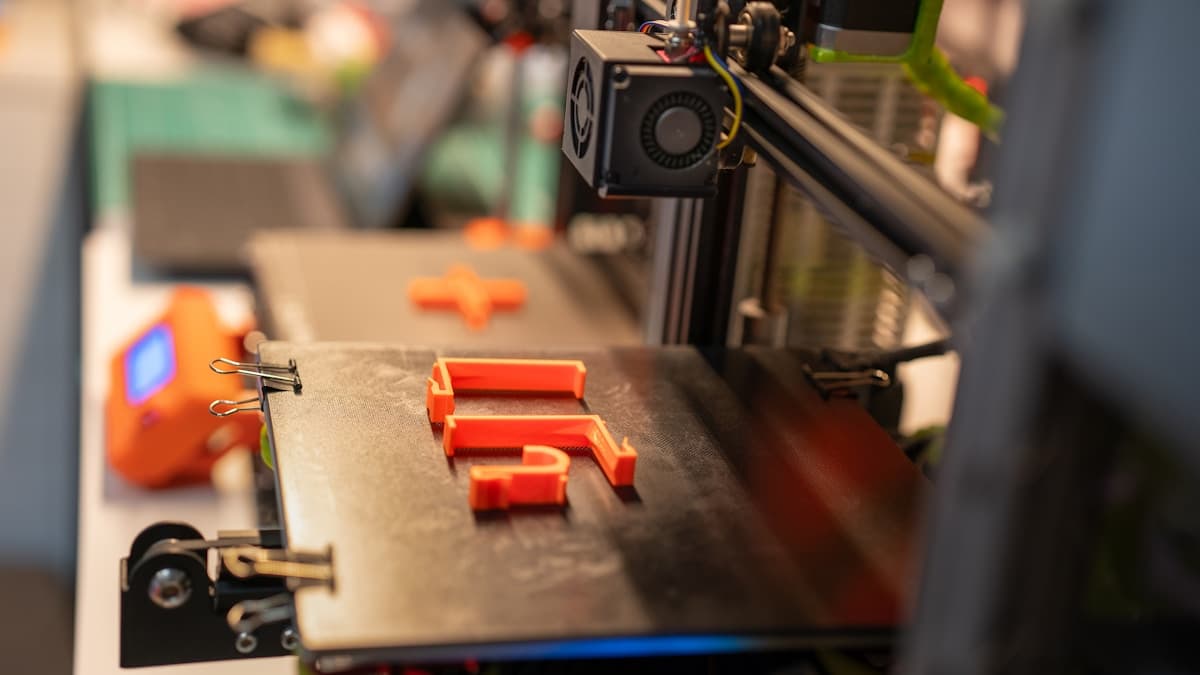
Hero photograph by Jakub Żerdzicki on Unsplash.
Ready to find a 3D printing service provider?
Browse 2,000+ verified providers across the United States and submit your quote request free.
Browse Providers