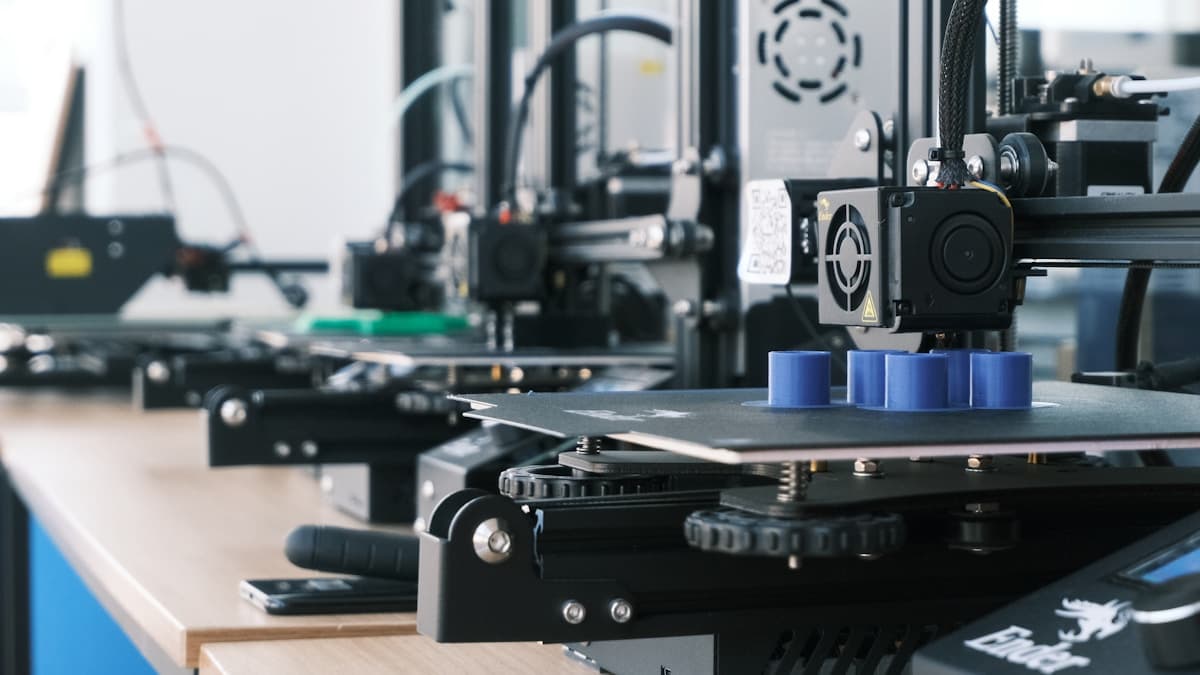
The short version: the best sub-$300 3D printer for most people in 2026 is the Creality Ender-3 V3 SE — auto leveling, direct drive, and clean prints with almost no setup. If you want more speed for the money, the Anycubic Kobra 2 / Kobra 3 is the value pick; for a bigger, faster machine the Elegoo Neptune 4 gives you more build area; and the original Creality Ender-3 is still the cheapest way in for tinkerers who don't mind manual leveling. All of them make genuinely good parts. If you only need occasional prints, a service bureau prints them for you without buying anything. For the tier above, see Best FDM Printers Under $500.
The under-$300 price band has changed more than any other in the last two years. Features that used to define mid-range printers — automatic bed leveling, direct-drive extruders, faster motion systems — are now standard on machines that cost less than a decent phone. This guide is strictly about that value band: what you actually get for under $300, what you give up, which machines punch above their price, and when it's worth spending a little more.
This post contains affiliate links. If you purchase through these links, 3D Prototyping Hub may earn a small commission at no extra cost to you.
This post also contains Amazon affiliate links. As an Amazon Associate we earn from qualifying purchases.
What You Get — and Give Up — Under $300
At this price you're buying an open-frame FDM printer that prints PLA and PETG very well. Modern budget machines share a common feature set, and knowing where the line falls saves you from overpaying:
- You get: reliable PLA and PETG printing, auto bed leveling on newer models, direct-drive extruders, decent motion speed, and print quality that's genuinely close to machines costing far more.
- You give up: an enclosed chamber (so ABS, ASA, nylon, and polycarbonate warp without an add-on), the largest build volumes, the highest speeds, easy multi-color printing, and the near-zero-maintenance polish of premium machines.
The key point: the core print quality under $300 is excellent. What you pay more for is convenience, speed, size, and material range — not better-looking PLA parts.
What to Look For in a Budget Printer
- Auto bed leveling. The single feature that most improves a beginner's success rate. Newer budget machines include it; older classics don't. If you want to print rather than tinker, prioritize it.
- Direct-drive extruder. Handles flexible filament (TPU) better and is more forgiving than a Bowden setup. Now common at this price.
- Build volume. Most sit around 220 x 220 x 250 mm — plenty for typical parts. Step up only if you know you need larger prints.
- Community and documentation. A well-supported printer means every problem you hit has already been solved online. This matters more than a spec sheet on a first machine.
- Realistic speed. Advertised top speeds are marketing numbers. All of these print faster than printers from two years ago; treat headline speeds as a ceiling, not a daily rate.
The Best Budget 3D Printers Under $300 in 2026
1. Creality Ender-3 V3 SE — Best Overall Value
The Ender-3 V3 SE is the printer to buy if you want to start printing well the same day it arrives. It combines automatic bed leveling with a direct-drive extruder, so you skip the two things that frustrate beginners most — manual leveling and Bowden retraction tuning. Assembly takes about 20 minutes, and the first PLA prints come out clean and fast. It's the machine most people should start with under $300. Check the current Creality Ender-3 V3 SE price and confirm what's in the box.
2. Anycubic Kobra 2 / Kobra 3 — Best Speed for the Money
If you want your prints finished sooner, the Kobra line pushes higher print speeds into the budget band without giving up auto leveling or ease of setup. The Kobra 2 is a fast, well-tuned single-color workhorse; the Kobra 3 adds a faster motion system and an optional multi-color path if you grow into it. Both print PLA and PETG cleanly and set up quickly, making them the value pick when speed matters more than size. Buy direct from the Anycubic official store and compare the current Kobra 2 and Kobra 3 offers.
3. Elegoo Neptune 4 — Best Build Volume
When you need more print area than the standard 220 mm bed, the Neptune 4 delivers a larger build volume and a high-flow hotend that keeps up at speed, all inside the budget band. It asks a little more of you in setup and tuning than the Ender-3 V3 SE, but the payoff is a bigger, faster machine that handles larger functional parts without stepping into a higher price tier. It's the pick for makers who already know they want the room. Compare the Elegoo Neptune 4 and check the build dimensions against your projects.
4. Creality Ender-3 (classic) — Cheapest Way In
The original Ender-3 remains the lowest-cost entry into 3D printing and the most thoroughly documented printer ever made. It uses manual bed leveling and a Bowden extruder, so it takes more patience — but every issue you'll ever hit has a community answer, and the upgrade path is endless. If your budget is tight, you enjoy tinkering, or you want a cheap second printer for a print farm, nothing beats the price. Look at the current Creality Ender-3 and budget a little extra for a good build surface.
Buyer Recommendation Summary
- You want the easiest, most reliable start → Creality Ender-3 V3 SE.
- You want faster prints for the same money → Anycubic Kobra 2 or Kobra 3.
- You need a bigger build area and more speed → Elegoo Neptune 4.
- You want the cheapest way in and enjoy tinkering → original Creality Ender-3.
- You only need occasional parts → skip the printer and send the job to a provider.
When to Spend a Little More
A sub-$300 printer is the right choice for most people, but there are clear reasons to step up. If you print constantly and speed is the bottleneck, or you want multi-color printing, a larger build area, or the ability to print ABS, ASA, nylon, or polycarbonate without warping, the next tier earns its cost. See Best FDM Printers Under $500 for the band directly above, Best 3D Printers Under $1,000 in 2026 for enclosed and multi-material machines, and Best 3D Printers for Beginners in 2026 if ease of use is your top priority regardless of price. If you print engineering filaments on any open printer, budget or not, an enclosure is what stops parts from warping.
When to Use a Service Instead
A budget printer pays for itself quickly if you print often. But it's still a machine to set up, feed with filament, and maintain — and it won't print large, high-temp, or highly detailed parts that need equipment above this price band. If you only need a handful of parts, a one-off prototype, or a material your printer can't handle, a service bureau prints it on professional equipment with no purchase and no learning curve.
Browse the 3D Prototyping Hub directory to order parts from an equipped shop. To weigh the math, see How Much Does 3D Printing Cost. Once you own a printer, good filament and a basic tool kit matter more to your results than spending more on the machine itself.
Related Resources
Hero photo by Minku Kang on Unsplash. This post contains affiliate links — 3D Prototyping Hub may earn a commission if you purchase through them, at no cost to you. As an Amazon Associate, we earn from qualifying purchases.
Ready to find a 3D printing service provider?
Browse 2,000+ verified providers across the United States and submit your quote request free.
Browse Providers