Every district has at least one. A printer bought with grant money or an enthusiastic department budget, used hard for a term, and now on a cart in a store cupboard with a half-finished print still welded to the plate. When classroom 3D printers sit unused, the cause is almost never a machine that cannot be repaired — it is a handful of operational gaps that each look too small to be the reason, and together take the printer out of service permanently.
This post contains affiliate links. If you purchase through these links, 3D Prototyping Hub may earn a small commission at no extra cost to you.
This post also contains Amazon affiliate links. As an Amazon Associate I earn from qualifying purchases.
The failure is operational, and it has a shape
The sequence is consistent enough to be worth writing down, because every school that has lost a printer has lost it this way:
| Stage |
What happens |
What it actually needs |
| A print fails mid-lesson |
Nobody has ten minutes to diagnose it |
One named owner and a five-minute checklist |
| The nozzle clogs |
No spare on site, so it goes on a purchase order |
A $12 pack of nozzles in the drawer |
| The spool runs out |
Consumables were never a recurring budget line |
One bulk order placed before September |
| It gets moved for space |
Now it lives in a cupboard |
A permanent, ventilated location |
| Someone asks about fumes |
No risk assessment exists, so the answer is no |
An enclosure, filtration and a written policy |
None of these is a 3D printing problem. That is the point — and it is why buying a better machine, which is the usual response, fixes nothing. A second premium printer joins the first one in the cupboard about a term later.
Nobody owns it, so the maintenance never happens
A desktop FDM machine in daily classroom use needs perhaps twenty minutes of attention a week. The list is short and none of it is hard:
- Wipe the plate with isopropyl alcohol between sessions. Thirty students means thirty sets of fingerprints, and skin oil is the most common cause of a part that will not stick. Our piece on prints that do not stick to the bed covers what else that symptom can be.
- Watch the first layer at the start of the week, as a deliberate thirty-second check rather than as a reaction to a failure.
- Clear or change the nozzle when extrusion turns inconsistent. Most classroom clogs are partial and clear with a needle and a cold pull — why nozzles clog explains what distinguishes a dust clog from a heat-creep one.
- Check belts and screws once a term. They loosen; nothing announces it.
The reason this does not get done is never that it is difficult. It is that it belongs to no one's job description. The schools where printers stay alive have a named owner and, very often, a student technician team that runs the routine under supervision — which is real maintenance experience for them and removes the single point of failure that one overloaded teacher represents.
Keep the tools with the machine, not in a shared prep room. A labelled deburring and print-removal kit and a nozzle cleaning kit with needles stop students attacking the build surface with a ruler, which is how plates die.
One machine cannot serve thirty students, and the arithmetic says so
This is the gap that kills the curriculum rather than the hardware, and it is entirely predictable before you buy anything.
On a 0.4mm nozzle at 0.2mm layers in PLA, a keyring-sized part is roughly 15 to 25 minutes of machine time. A palm-sized articulated model is two to four hours. Thirty students at 25 minutes each is about 12 hours of continuous printing — three weeks of lunchtimes, assuming nothing fails, which something will.
Two honest ways out, and they are not mutually exclusive:
- Design the assignment around the throughput you have. Cap the part at a stated volume — a 20mm cube of material is a useful limit to teach to — and the whole class fits inside a week. Constraint is also better design teaching than an unlimited build volume is.
- Buy several cheap machines rather than one good one. For teaching throughput, three inexpensive printers beat one premium printer: three times the parallel capacity, and one failure takes out a third of your capacity rather than all of it. This is the single most useful thing to know before spending a grant, and our guide to printers for schools and classrooms covers which models suit the role.
If the budget is fixed, spend the difference on spares and filament instead of on specification. ELEGOO's FDM range and Anycubic's US store both list machines at the price point where buying two is a realistic option, and both carry the plates, nozzles and filament in the same place — which matters more than it sounds like it should when every order is a purchase requisition.
The consumables were a capital purchase, not a budget line
A printer that stops in November because a $25 spool ran out, and restarts in February when the next order clears, has effectively been switched off for a term. This is the most avoidable item on the page.
Buy a year of consumables on one order, before the year starts:
- PLA, in quantity. It is the only material a general classroom should run — low odour, no heated chamber, no styrene. A bulk PLA multi-pack costs less per kilogram than single spools and removes the stock-out. Keep opened spools sealed with rechargeable indicating desiccant: a spool left on an open shelf all summer prints noticeably worse in September, for the reasons in why a new spool prints worse.
- A spare build plate. The highest-value item on the list. A textured PEI spring-steel plate turns a gouged surface into a five-second swap instead of a cancelled practical.
- Nozzles. A pack of 0.4mm nozzles is a few dollars and a five-minute change. There is no reason for a clog to cost a fortnight.
- Adhesion. A glue stick for a textured plate is both an adhesion aid and a release agent, and it protects the plate from students levering parts off it.
The fume question was never answered, so the answer became no
A great many classroom printers were stopped by a facilities manager rather than by a fault, and usually because nobody had a written answer ready.
The substance is straightforward. FDM printing emits ultrafine particles and volatile organic compounds while the hotend is hot, and the quantity depends heavily on the material: PLA at around 200°C sits at the low end of the range, while ABS and ASA are substantially worse — which is the real reason they do not belong in a general classroom, as why 3D printers smell sets out. Resin printing, with its handling and disposal requirements, is a different conversation again and does not belong in a K-12 room at all.
What to propose, rather than ask for permission in the abstract:
- An enclosure with activated-carbon filtration. It is the concrete object that makes the conversation possible, and it halves the noise at the same time.
- A permanent location in a ventilated room — not a sealed store cupboard, and not a corner of an occupied small office.
- PLA only, written down as a rule.
- A photoelectric smoke alarm in the room if anything runs unattended overnight. Most risk assessments ask for it by name, and why 3D printers catch fire covers what the failure actually looks like.
That package is usually approved. "Can we have a 3D printer in here?" usually is not.
When the right answer is to order the part
Not every printed part a school needs should come off a teaching machine, and treating the printer as the only route is its own way of losing it — the machine gets booked solid with production work and stops being available for lessons.
Send it out when the part is the point rather than the process: class sets of identical pieces, anything bigger than the build volume, parts in a material the machine cannot run, and anything tied to an event with a fixed date. The accessibility cases belong here too — tactile learning resources, assistive aids, museum-quality replicas for a display — where the finish and material matter more than the lesson in making it. Our overview of 3D printing services for schools and universities covers how to specify and buy that work, and you can browse providers by location and process to get two or three quotes against the same file.
The printer you already own does not need to be replaced. It needs an owner, a drawer of spares, a filament order placed in August, and an assignment sized to the hours it actually has.
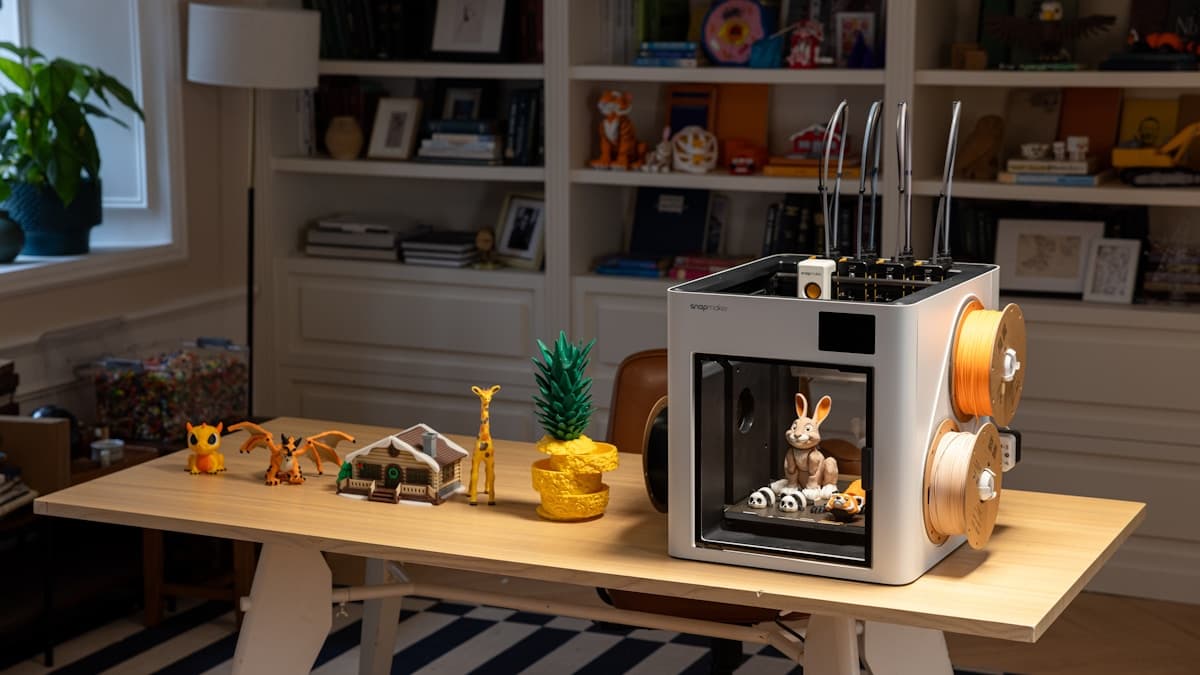
Hero photograph by Snapmaker 3D Printer, via Unsplash.
Ready to find a 3D printing service provider?
Browse 2,000+ verified providers across the United States and submit your quote request free.
Browse Providers