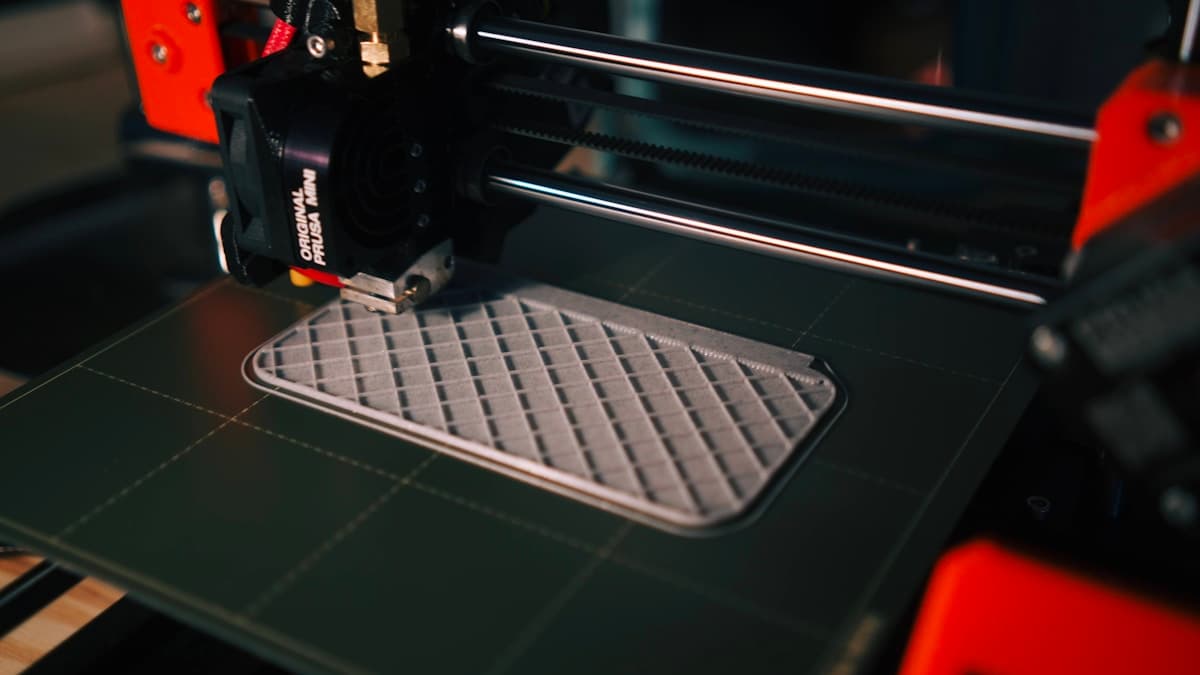
The short version: for most people in 2026, the best 3D printer is the Bambu Lab P1S — an enclosed, fast, self-calibrating all-rounder that prints well out of the box. On a tight budget, the Creality Ender-3 V3 SE is the most capable machine under $300. Absolute beginners should start with the Bambu Lab A1 mini. If detail is the point, a resin printer like the Anycubic Photon Mono M5s wins, and for engineering materials the enclosed Bambu Lab X1-Carbon is the pick. This guide names one winner per category, tells you who each is for, and links to the full deep-dive for every category so you can compare the runners-up. And if you shouldn't buy at all, a service bureau prints the part without you owning a machine.
There has never been a better time to buy a 3D printer, and there has never been more noise. The machines got faster, quieter, and far easier to use, but the number of models and price bands exploded. This flagship guide cuts through it: pick your category below, read the two-sentence winner, and follow the link to the deep-dive when you want the full field.
This post contains affiliate links. If you purchase through these links, 3D Prototyping Hub may earn a small commission at no extra cost to you.
This post also contains Amazon affiliate links. As an Amazon Associate we earn from qualifying purchases.
The Best 3D Printers in 2026 at a Glance
| Category |
Winner |
Best for |
Type |
Approx price band |
| Best overall |
Bambu Lab P1S |
Most people |
FDM (enclosed CoreXY) |
$650–$750 |
| Best budget under $300 |
Creality Ender-3 V3 SE |
First printer, tight budget |
FDM (open) |
$180–$250 |
| Best for beginners |
Bambu Lab A1 mini |
Zero-fuss first machine |
FDM (open, compact) |
$200–$300 |
| Best under $500 |
Bambu Lab A1 |
Full-size, easy multicolor |
FDM (open) |
$350–$450 |
| Best under $1000 |
Creality K1 Max |
Speed + large volume |
FDM (enclosed CoreXY) |
$800–$1000 |
| Best resin / detail |
Anycubic Photon Mono M5s |
Fine surface detail |
Resin (MSLA) |
$250–$350 |
| Best for miniatures |
Elegoo Saturn 4 Ultra |
Batch minis & figurines |
Resin (MSLA) |
$350–$450 |
| Best enclosed / engineering |
Bambu Lab X1-Carbon |
ABS, ASA, nylon, CF |
FDM (enclosed CoreXY) |
$1100–$1400 |
| Best for small business |
Prusa Core One |
Reliable daily production |
FDM (enclosed CoreXY) |
$950–$1200 |
How to Choose a 3D Printer
Before you pick a model, settle five questions. They matter more than any single spec.
FDM vs resin. FDM printers melt filament and are the right default: cheaper to run, larger build volumes, sturdier parts, and non-toxic PLA that cleans up with a spatula. Resin printers cure liquid resin with UV light and win on fine detail — miniatures, jewelry, dental — but the parts are more brittle, the volumes are smaller, and the workflow is messy and needs gloves and ventilation. Start with FDM unless detail is the entire reason you're buying.
Budget vs capability. Under $300 buys a genuinely good PLA printer. The $350–$700 band buys convenience: auto-calibration, multicolor, speed, and an enclosure. Above $1000 you're paying for engineering-material capability and production reliability, not prettier PLA. Decide which of those you actually need before you spend.
Print volume. Match the bed to your parts. Most people are well served by a roughly 220–256 mm bed. If you print cosplay pieces, large enclosures, or oversized brackets, jump to a large-format machine rather than slicing every part into sections and gluing them.
Materials. PLA and PETG print in open air. ABS, ASA, polycarbonate, and nylon need a warm, stable chamber — that means an enclosed printer or a retrofit enclosure. Carbon-fiber-filled filaments are abrasive and need a hardened nozzle. Know your materials before you buy, because they dictate the machine.
Ecosystem and ease. Bambu Lab and Creality's newer machines auto-level and auto-calibrate so you press print and get a part. Prusa is more open and repairable but asks a little more of you. If you want to make things, not maintain a printer, favor the self-calibrating machines.
Best Overall — Bambu Lab P1S
The Bambu Lab P1S is the printer to buy if you want one machine that does almost everything well. It's an enclosed CoreXY that prints fast, calibrates flow and resonance automatically, and delivers clean prints out of the box with essentially no tuning. The enclosure lets it handle ABS and ASA on top of everyday PLA, PETG, and TPU, and the AMS add-on brings four-color printing when you want it. For the widest range of users it hits the sweet spot of price, speed, and reliability. Check the current Bambu Lab P1S.
Best Budget Under $300 — Creality Ender-3 V3 SE
If the goal is the most capable printer for the least money, the Creality Ender-3 V3 SE is it. Auto bed leveling and a direct-drive extruder — features that used to cost far more — make it forgiving for a first machine, and it prints clean PLA and PETG with minimal setup. It's open (no enclosure), so keep it to non-engineering materials, but as a first printer under $300 nothing beats it on value. Check the Creality Ender-3 V3 SE, and see the full field in Best Budget 3D Printers Under $300 in 2026.
Best for Beginners — Bambu Lab A1 mini
For someone who has never printed before and wants zero friction, the Bambu Lab A1 mini is the easiest on-ramp. It auto-calibrates, runs quietly, and with the AMS lite adds simple multicolor on a compact bed that fits any desk. You lose some build volume versus a full-size machine, but you gain the shortest path from unboxing to a good first print. Check the Bambu Lab A1 mini, and compare alternatives in Best 3D Printers for Beginners in 2026.
Best Under $500 — Bambu Lab A1
Step up from the mini and the Bambu Lab A1 gives you the same auto-calibration and easy multicolor on a full-size bed for still under $500. It's a bed-slinger rather than an enclosed CoreXY, so it's best kept to PLA, PETG, and TPU, but for the money it's hard to beat on ease and print quality. Check the Bambu Lab A1, and see the rest of the class in Best FDM Printers Under $500.
Best Under $1000 — Creality K1 Max
At the top of the mainstream band, the Creality K1 Max brings real speed and a large enclosed build volume for under $1000. It's a fast CoreXY with auto-leveling and an enclosure that can push engineering filaments, and the big bed suits larger parts or higher-throughput printing. It asks a bit more attention than a Bambu machine, but you get more volume and speed per dollar. Check the Creality K1 Max, and weigh it against the field in Best 3D Printers Under $1000 in 2026.
Best Resin / Detail — Anycubic Photon Mono M5s
When surface detail is the whole point — jewelry, dental models, prototypes with fine features — a resin printer wins, and the Anycubic Photon Mono M5s is the value pick. Its high-resolution monochrome LCD captures crisp features FDM can't touch, and Anycubic's ecosystem of resin, wash, and cure gear is mature. Remember the trade-offs: brittle parts, a smaller build volume, and a messy workflow that needs gloves and ventilation. Buy direct from the Anycubic official store, and see the full comparison in Best Resin 3D Printers in 2026.
Best for Miniatures — Elegoo Saturn 4 Ultra
For tabletop miniatures and figurines printed in batches, the Elegoo Saturn 4 Ultra is built for the job: a large high-resolution plate that fits a whole army of minis per run, fast curing, and the surface fidelity resin is known for. It's the printer to choose when you're producing volume rather than one showpiece. Check the Elegoo Saturn 4 Ultra, and see the runners-up in Best 3D Printers for Miniatures in 2026.
Best Enclosed / Engineering — Bambu Lab X1-Carbon
When ABS, ASA, nylon, and carbon-fiber-filled filaments are the reason you're buying, the Bambu Lab X1-Carbon is the flagship. It's a fully enclosed CoreXY with a hardened hotend for abrasive materials, lidar-assisted calibration, and a built-in camera for remote monitoring — the enclosure holds the warm chamber engineering materials need to print warp-free. It's more machine than most hobbyists require, but for functional parts it's the standard. Check the Bambu Lab X1-Carbon, and see the alternatives in Best Enclosed 3D Printers in 2026.
Best for Small Business — Prusa Core One
When a printer has to earn its keep and run day after day, the Prusa Core One is the pick. It's an enclosed CoreXY built around reliability, open and repairable parts, and a mature software stack, so downtime is short and spares are easy. It costs more than a comparable Bambu machine, but for a print farm or a business that can't afford a dead printer, the openness and support are worth it. Check the Prusa Core One, and see the full lineup in Best 3D Printers for Small Business in 2026.
Buyer Recommendation Summary
- You want one printer that does almost everything → Bambu Lab P1S.
- You're on a tight budget or buying your first machine → Creality Ender-3 V3 SE.
- You've never printed and want zero fuss → Bambu Lab A1 mini.
- You want a full-size, easy multicolor printer under $500 → Bambu Lab A1.
- You want speed and a large volume under $1000 → Creality K1 Max.
- You need fine detail — minis, jewelry, dental → Anycubic Photon Mono M5s (resin).
- You print miniatures in batches → Elegoo Saturn 4 Ultra (resin).
- You print ABS, ASA, nylon, or carbon fiber → Bambu Lab X1-Carbon.
- You print oversized single parts → see Best Large-Format 3D Printers in 2026.
- You need a machine that runs a business → Prusa Core One.
When to Use a Service Instead
Buying a printer only pays off if you print regularly. If your volume is low, your deadline is tight, or your part needs a material or process you don't own, a service bureau is cheaper and faster than buying, learning, and maintaining a machine. A one-off nylon or carbon-fiber part, a finish you can't produce at home, or a single large prototype rarely justifies the cost and the learning curve of a new printer.
Browse the 3D Prototyping Hub directory to send the job to a vetted provider instead of buying. And once you do own a machine, round out the setup with the right filament and tool kit and accessories.
Related Resources
Hero photo by Kadir Celep on Unsplash. This post contains affiliate links — 3D Prototyping Hub may earn a commission if you purchase through them, at no cost to you. As an Amazon Associate, we earn from qualifying purchases.
Ready to find a 3D printing service provider?
Browse 2,000+ verified providers across the United States and submit your quote request free.
Browse Providers