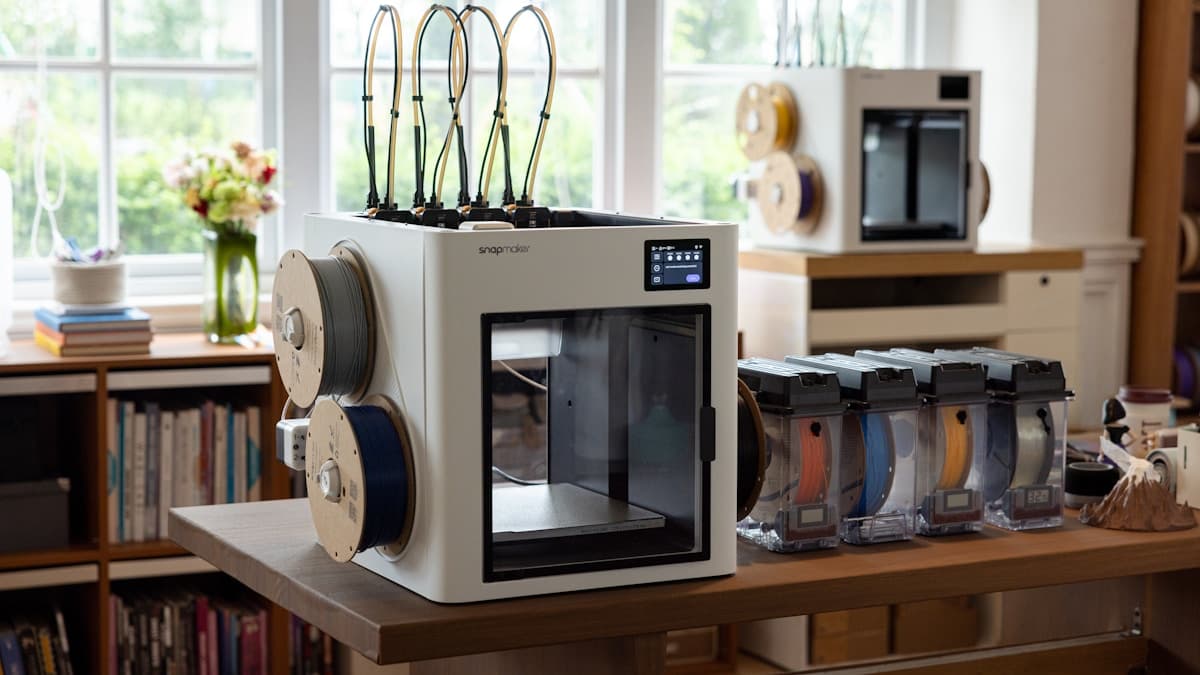
The short version: the quietest desktop 3D printer is an enclosed CoreXY machine standing on a heavy, decoupled surface, and the Flashforge Adventurer 5M Pro is the easiest way to buy that combination outright. If the printer has to share a room with people who are working or sleeping, the enclosure and the surface it sits on matter more than the brand on the front.
This guide is for the buyer whose constraint is not budget or build volume but the room the machine lives in — a one-bedroom apartment, a shared office, a study next to a nursery. It covers what actually makes noise, which machines are worth buying for that constraint, and the cheap fixes that quiet down the printer you already own.
This post contains affiliate links. If you purchase through these links, 3D Prototyping Hub may earn a small commission at no extra cost to you.
This post also contains Amazon affiliate links. As an Amazon Associate I earn from qualifying purchases.
Where the Noise Actually Comes From
Buying for quiet goes wrong when people shop for a decibel figure. Four separate sources make up that figure, they respond to completely different fixes, and only two of them travel between rooms.
Fans. On any current machine this is the loudest continuous source. The part-cooling blower runs hardest on small layers and on PLA, and it is joined by the hotend fan, the control-board fan and — on enclosed machines — a chamber or filtration fan. Fan noise is broadband hiss. It is the easiest thing to muffle and the easiest to live with, because a room absorbs steady hiss within minutes of you noticing it.
Stepper motors. Largely a solved problem. Silent stepper drivers are standard across the mainstream lines now, including Anycubic's and ELEGOO's current machines, and they take the electrical whine out of the motors almost entirely. If someone tells you their printer screams, they are describing a machine from several generations ago.
Motion and mass. This is the one that matters and the one nobody shops for. A bed-slinger accelerates the entire build plate, the part and the bed heater back and forth on the Y axis, hundreds of times a minute. That momentum has to be absorbed by the frame, then the table, then the floor. A CoreXY machine keeps the heavy bed on a slow Z axis and moves a much lighter toolhead instead, so there is far less to throw around.
The furniture. A printer bolted to a hollow-topped desk turns the desk into a loudspeaker. Structure-borne vibration is the component your downstairs neighbour hears, and it is the component an enclosure does nothing about. Solve this one first — it is the cheapest fix on the list and the only one that addresses noise passing through walls and floors.
The practical consequence: an enclosure fixes the sound you hear in the room, and isolation fixes the sound everyone else hears. They are separate purchases because they solve separate problems.
The Picks
Flashforge Adventurer 5M Pro — Best Overall Quiet Printer
The Adventurer 5M Pro is the shortest path to the combination that actually works: a fully enclosed body with a door, plus CoreXY motion that keeps the heavy bed still. The panels contain the fan hiss and the click of direction changes, and the light toolhead means less energy going into whatever the machine is standing on. The built-in filtration is a real bonus in a room where you also work, because an enclosed hot chamber concentrates the smell of ABS and ASA that an open frame simply disperses.
It is not a silent machine — nothing with a part-cooling fan is — but it is the one on this list you can put on a shelf in a home office and stop thinking about. Check the current Adventurer 5M Pro price if the printer has to coexist with people.
Anycubic Enclosed Kobra Machines — Best Mainstream Enclosed Alternative
If you would rather stay in a larger ecosystem for parts, profiles and community troubleshooting, Anycubic's enclosed Kobra machines get you the same structural advantage: panels and a door between the print and the room, with silent drivers behind them. The reasoning is identical to the pick above — buy the enclosure as part of the machine rather than bolting one on later, because a purpose-built enclosure seals better than a tent and carries its own chamber airflow.
Worth the step up specifically when the machine lives in a shared space. If it lives in a garage, the money is better spent elsewhere. Browse Anycubic's enclosed FDM range.
ELEGOO Neptune Series — Best Quiet Base on a Budget
The budget route to a quiet setup is not a quiet printer, it is a well-behaved open-frame printer plus about $60 of treatment. The Neptune line ships with silent stepper drivers, so the motors are already dealt with; what remains is fan hiss and vibration, and both are addressable. Stand it on a paving slab over damping pads, drop the acceleration in your profile, and add a fabric enclosure once you know the machine is staying.
That gets you within touching distance of an enclosed machine for a fraction of the price, at the cost of doing the work yourself. Browse the ELEGOO Neptune range, and see the enclosure guide for what to put around it.
ELEGOO Mars and Saturn — Quietest Motion, With One Hard Caveat
Resin machines are mechanically the quietest thing on any desk. One axis moves, it moves slowly, and it never changes direction quickly, so there is no clatter and almost nothing conducted into the furniture. If your problem is a housemate hearing the printer through a wall, resin makes that problem disappear.
The caveat is not negotiable: uncured resin gives off VOCs, so these machines need real ventilation and a wash-and-cure workflow. That makes them a vented-room, garage or workshop machine — quieter than FDM, but categorically not the thing you put beside a bed. Move to resin because you want the detail, and treat the quiet as a bonus. Browse ELEGOO's Mars and Saturn line, and compare against the full resin printer guide before switching processes.