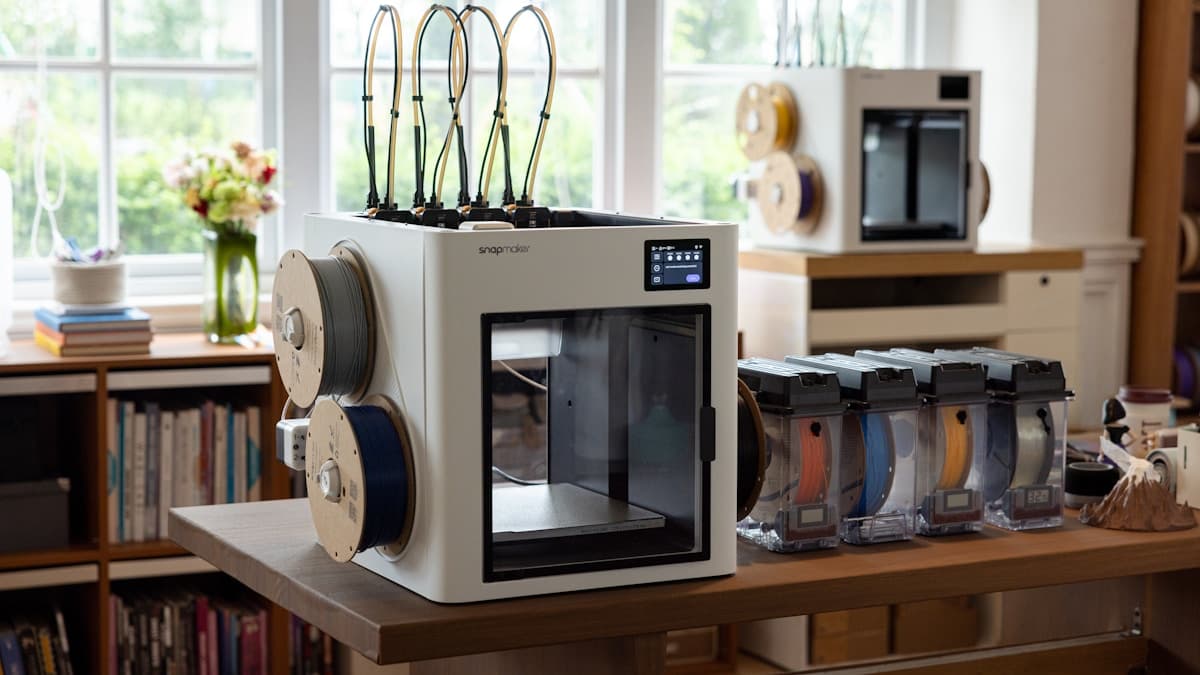
The short version: filament absorbs moisture from the air, and wet filament prints badly — stringing, popping, rough surfaces, and weak parts. A dry box fixes it. For most people the answer is an active dryer like the SUNLU FilaDryer (rescues wet spools and prints through the box), while a sealed passive box like the Polymaker PolyBox keeps already-dry filament dry in storage. If you print TPU, nylon, or PETG, or live somewhere humid, this is the cheapest upgrade that will visibly improve your prints. And if you'd rather not manage filament conditioning at all, a service bureau handles it for you.
Moisture is the invisible cause behind a surprising share of failed prints. A machine that printed clean last month starts stringing and popping, and the filament — not the printer — is usually the culprit. This guide explains which filaments care, the difference between storing dry and drying wet, and the best dry boxes and dryers to buy in 2026.
This post contains affiliate links. If you purchase through these links, 3D Prototyping Hub may earn a small commission at no extra cost to you.
This post also contains Amazon affiliate links. As an Amazon Associate we earn from qualifying purchases.
Why Moisture Ruins Prints
Filament is hygroscopic: the plastic pulls water vapor out of the surrounding air and holds it. When that damp filament hits the hot nozzle, the trapped moisture flashes to steam inside the melt. The results are easy to recognize once you know the cause:
- Stringing and oozing between parts of the print
- Popping, crackling, or visible steam at the nozzle while printing
- Rough, pockmarked, or hazy surfaces instead of a clean finish
- Weak layer adhesion and parts that snap along layer lines
None of that is a printer defect — it's wet filament. The fix is either keeping filament dry from the start or drying it out before you print.
Which Filaments Absorb Moisture Worst
Not every material cares equally. Prioritize based on what you print:
- Worst: Nylon (PA) and TPU — absorb fast and degrade quickly; effectively require dry storage and often active drying.
- Significant: PETG and PVA — noticeable quality loss when wet, common enough that most people hit it.
- Slower: PLA and ABS — more forgiving, but still print better dry, especially in humid climates or after a spool has been open for months.
If you only print PLA in a dry room, a sealed bag with desiccant may be enough. The moment you move to engineering or flexible materials, a real dry box earns its place.
Passive Box vs. Active Dryer
This is the decision that trips people up:
- Passive dry box — a sealed container with desiccant. It maintains filament that's already dry and lets you print from it, but it can't pull moisture out of a spool that's already wet.
- Active dryer — uses heat, usually with a fan, to remove moisture from wet filament. This is what recovers a spool that's already printing badly.
If your filament is fresh and dry, a passive box keeps it that way. If it's been open and is stringing, you need an active dryer. Many printers end up with both: an active dryer to rescue and pre-dry spools, and passive boxes for long-term storage.
What to Look For
- Temperature range and control. Different filaments dry at different temperatures (PLA low, nylon higher). A dryer with a set-and-hold temperature is far safer than guessing.
- Capacity. Single-spool units are compact; multi-spool dryers (like the SUNLU S4) dry several at once and suit busy printers.
- Print-through feed ports. PTFE ports let you print directly from the sealed box so filament stays dry during long prints — essential for TPU and nylon.
- Humidity readout. A built-in hygrometer tells you when desiccant needs recharging or a spool is ready.
- Spool compatibility. Check that large or wide spools physically fit.
The Best Filament Dry Boxes and Dryers in 2026
| Product |
Type |
Capacity |
Print-through |
Best for |
| SUNLU FilaDryer S4 |
Active |
Multi-spool |
Yes |
Busy printers, multiple materials |
| SUNLU FilaDryer S2 |
Active |
Single spool |
Yes |
Compact, budget active drying |
| EIBOS Cyclopes / Polyphemus |
Active |
1–2 spool |
Yes |
TPU, nylon, moisture-hungry filament |
| Polymaker PolyBox |
Passive |
1–2 spool |
Yes |
Storing and printing from dry spools |
1. SUNLU FilaDryer S4 / S2 — Best Overall Active Dryer
The SUNLU FilaDryer is the most common active dryer for good reason: it heats filament to a set temperature, shows the state on a display, and feeds directly to the printer. The S4 holds multiple spools at once — ideal if you switch materials often or run long prints — while the S2 is the compact, budget-friendly single-spool option. For most printers fighting moisture, this is the first thing to buy. Compare the SUNLU FilaDryer S4 and S2 and pick by how many spools you run.
2. EIBOS Filament Dryer — Best for TPU and Nylon
EIBOS dryers (Cyclopes, Polyphemus) use fan-forced heat for more even, aggressive drying, which is exactly what the worst offenders — TPU and nylon — need. With print-through ports, they keep those materials dry through the entire print rather than letting them re-absorb moisture on the spool. If your problem materials are flexible or engineering-grade, this is the targeted pick. Look at current EIBOS filament dryers.
3. Polymaker PolyBox — Best Passive Storage
Not every spool needs active heat — a lot of the battle is simply keeping dry filament dry. The Polymaker PolyBox is a sealed passive box with desiccant, a humidity readout, and feed ports so you can print straight from it. Pair it with an active dryer: dry the spool once, then store and print from the PolyBox. See the Polymaker PolyBox and storage options.
Buyer Recommendation Summary
- You want one dryer that does everything → SUNLU FilaDryer S4. Multi-spool, prints through the box.
- You're on a budget or print one material → SUNLU FilaDryer S2. Compact active drying.
- You print TPU or nylon → EIBOS. Fan-forced heat for the worst absorbers.
- You just need to keep dry filament dry → Polymaker PolyBox. Sealed passive storage.
- You'd rather not manage any of this → send the job to a provider who conditions their own material.
When to Use a Service Instead
Managing filament moisture is part of the deal when you print in-house, and a dry box makes it easy. But if you only need occasional parts — especially in nylon or other moisture-sensitive engineering materials — the conditioning overhead may not be worth it. A provider already dries and stores their material correctly, so the part comes out right without you buying a dryer, desiccant, and a hygrometer.
Browse the 3D Prototyping Hub directory to order parts in materials that are a hassle to keep dry at home. For choosing the filament itself, see Best 3D Printer Filaments in 2026; to pick a machine to run them on, see Best 3D Printers for Beginners in 2026.
Related Resources
Hero photo by Snapmaker 3D Printer on Unsplash. This post contains affiliate links — 3D Prototyping Hub may earn a commission if you purchase through them, at no cost to you. As an Amazon Associate, we earn from qualifying purchases.
Ready to find a 3D printing service provider?
Browse 2,000+ verified providers across the United States and submit your quote request free.
Browse Providers