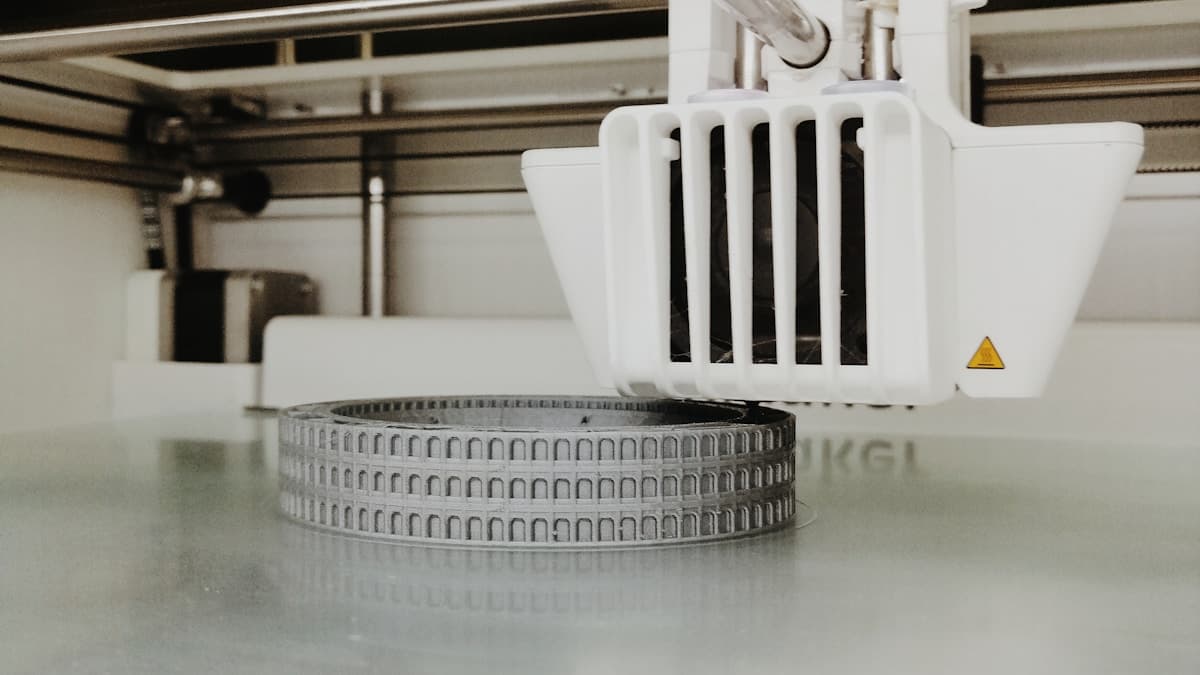
The honest answer is that the best 3D printer for architectural models is chosen by one number: the smallest real-world element that has to be legible, divided by your scale. Get that below what the machine can lay down and no amount of build volume, speed or brand rescues the model. For most practices the answer lands on a mid-size FDM machine for massing, context and terrain, with a small masked-SLA resin printer beside it for facade detail — a pairing that costs less than one large-format printer and covers far more of the work.
If you are coming from general 3D printing, the instinct to buy the biggest plate you can afford is the wrong one here. Large site models get sectioned and assembled regardless, and a bigger machine does not print a thinner mullion.
This post contains affiliate links. If you purchase through these links, 3D Prototyping Hub may earn a small commission at no extra cost to you.
This post also contains Amazon affiliate links. As an Amazon Associate I earn from qualifying purchases.
Do This Calculation Before You Shop
Every architectural model decision reduces to feature size at scale, and it takes thirty seconds:
- Name the thinnest element that must read. A 160 mm mullion. A 40 mm handrail. A 300 mm parapet.
- Divide by the scale. At 1:200 that mullion is 0.8 mm; that handrail is 0.2 mm.
- Compare against the process floor. FDM lays a bead about as wide as its nozzle, so 0.8 mm is the practical minimum for a feature that survives handling — a 0.4 mm nozzle can go finer in theory and will snap in practice. Masked-SLA resolves down to roughly 0.3 mm reliably.
The 0.8 mm mullion is borderline on FDM and comfortable on resin. The 0.2 mm handrail does not exist at that scale on either — you move to 1:50, or you accept it is not in this model. Doing this arithmetic first is what stops a practice buying a large-format machine to solve a resolution problem.
Two secondary criteria matter almost as much, and neither appears on a spec sheet. Enclosure, because a machine that whines in an open studio gets moved to a cupboard and then stops being used. And repeatability, because the person printing at 6pm before a Thursday review is rarely the person who set the machine up.
The Picks
Anycubic Kobra-class FDM — Best All-Round Studio Machine
This is the machine that does eighty percent of architectural output. Massing blocks, context buildings, site tiles, terrain, quick option studies — all of it is volume rather than detail, and all of it prints cleanly on a 220–250 mm plate. Auto-levelling is the feature that matters most in a shared office: it removes the single most common reason a print fails for someone who is not the machine's owner. Print in matte white, hollow the solids, and a massing model comes off the plate ready for two coats of primer. Anycubic's Kobra FDM range is the sensible default here, and cheap enough that a second machine — so options print in parallel — is a reasonable ask.
Large-Format FDM — Best for Site and Context Models
Once you are printing an urban block or a topographic site, the question stops being resolution and becomes seams. A 300–400 mm class machine cuts a nine-tile model to four, and every seam you remove is one less registration feature to design and one less joint to fill and sand. It is a genuine time saving on large work, not a vanity purchase — but only buy into it if site models are routine for you rather than occasional. The large-format printer guide covers the trade-offs, chiefly that big machines print slowly and fail expensively.
ELEGOO Mars / Saturn Masked-SLA — Best for Facade Detail
Resin is not an upgrade to FDM, it is a different tool. Where it earns its bench space is the components FDM cannot produce at all: mullion grids, window tracery, balcony railings, screen facades, columns, and detail inserts that get glued into an FDM-printed volume. Print the tower in filament, print its curtain wall in resin, assemble. A small plate is not a limitation for this — detail parts are small by definition. ELEGOO's Mars and Saturn machines are the standard entry, and the resin printer round-up compares them properly. Budget for the wash-and-cure station in the same purchase, not later.
Flashforge Enclosed FDM — Best Shared Studio Machine
An enclosed machine solves the problems that stop office printers from being used: noise, dust, smell, and someone's coffee. It also holds a stable chamber temperature, which matters if you ever print anything more warp-prone than PLA — a tall tower model in ABS or ASA is exactly that case. If the printer has to live among working desks rather than in a workshop, buy the enclosure. Flashforge's enclosed desktop machines are built for that role, and the closed-loop simplicity suits a machine that many people in an office will operate badly.