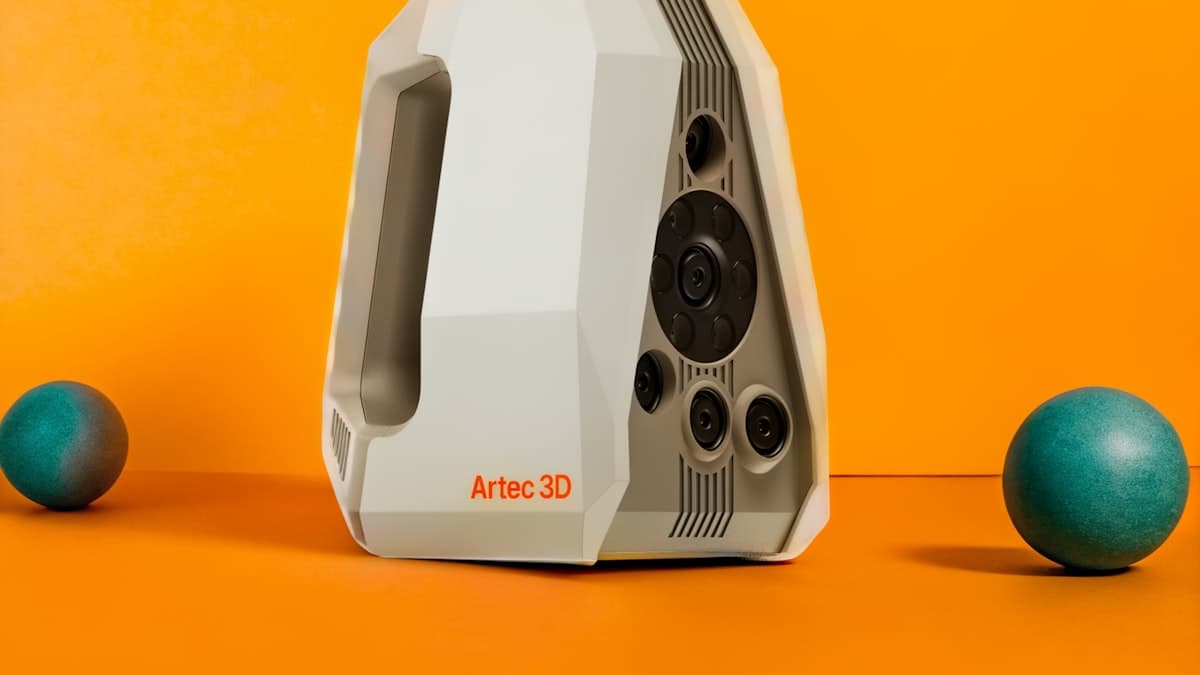
The direct answer: a Revopoint POP or INSPIRE handheld is the best overall 3D scanner in 2026 for most buyers — accurate enough for reverse engineering and capture work, with an approachable workflow, at a consumer price. The Creality CR-Scan Ferret is the budget pick for makers. A Revopoint MINI blue-light scanner is the choice for small, highly detailed parts. A professional structured-light system like a Shining3D EinScan is the step up for metrology and production reverse engineering — at several times the cost.
If you only occasionally need to scan something, buying hardware rarely makes sense — hire a 3D scanning service instead. The FAQ at the bottom covers that trade-off directly.
This post contains affiliate links. If you purchase through these links, 3D Prototyping Hub may earn a small commission at no extra cost to you.
This post also contains Amazon affiliate links. As an Amazon Associate I earn from qualifying purchases.
How to Choose a 3D Scanner
A 3D scanner captures the shape of a physical object as a digital mesh — the starting point for reverse engineering, inspection, custom-fit parts, and digital archiving. The technology behind most affordable scanners is structured-light or laser triangulation, and the spec sheet can be misleading if you don't match it to your actual work. Four factors decide the right scanner:
- Accuracy — The headline spec, but only meaningful relative to your part's tolerance. Reverse-engineering a bracket needs less precision than capturing a dental model. Don't overpay for accuracy you'll never use.
- Scan volume — Small detailed parts and car-sized objects demand different tools. A scanner optimized for tiny objects struggles with large ones and vice versa. Decide your typical object size first.
- Software workflow — Alignment, mesh cleanup, and CAD export quality matter as much as the hardware. A scanner with great optics and poor software wastes your time on every job.
- Surface handling — Dark, shiny, and transparent surfaces are hard for optical scanners and often need a matting spray. If you scan those surfaces regularly, factor it in.
The Best 3D Scanners in 2026
| Scanner | Approx. accuracy | Best for | Level |
|---|---|---|---|
| Revopoint POP / INSPIRE | ~0.05–0.1mm | Best overall value | Consumer / Prosumer |
| Creality CR-Scan Ferret | ~0.1mm | Budget maker scanning | Consumer |
| Revopoint MINI | ~0.02–0.05mm | Small detailed parts | Prosumer |
| EINSTAR VEGA | Not published | Untethered scanning away from a desk | Prosumer |
| Shining3D EinScan | Single-digit microns | Professional metrology | Professional |
1. Revopoint POP / INSPIRE — Best Overall Value
The POP and INSPIRE lines are where most scanner buyers should look first. They deliver accuracy good enough for reverse-engineering mechanical parts and capturing shapes for modeling, with a handheld workflow that doesn't demand a metrology background — at a price closer to a desktop printer than to a professional scanner. Revopoint runs frequent bundles on its scanner lineup — check current pricing and what's included (turntable, markers, software) before you buy.
2. Creality CR-Scan Ferret — Best Budget
When you want to start scanning without a real investment, the CR-Scan Ferret line is the value entry point. It captures medium-sized objects well enough for maker projects, replacement-part modeling, and learning the workflow, at the lowest serious price point on the market. It's not a precision instrument — but for getting started, nothing else at this price gets you scanning faster. Creality discounts its scanners regularly — check current pricing before purchasing.
3. Revopoint MINI — Best for Small Detailed Parts
If your work is small and intricate — jewelry, dental models, fine mechanical components — a blue-light scanner is the right tool, because it resolves detail that a standard handheld can't. The MINI series pushes accuracy into the 0.02–0.05mm range on small objects. It's a specialist tool, less suited to large objects, but for the buyer capturing fine detail, it's the value pick. Browse the Revopoint MINI blue-light series and confirm the scan volume fits your typical part before buying.
4. EINSTAR VEGA — Best Wireless / No Laptop Tether
Most handheld scanners at this price need a laptop attached while you scan. The VEGA does not. It runs on a 5000mAh internal battery for 1.5 to 2 hours, takes a power bank when you need longer, and supports 65W fast charging. If you scan away from a desk — in a shop, under a vehicle, on a customer site — that matters more than any line on a spec sheet.
Two modes cover different jobs. HD mode works at 100–350mm with point distance from 0.05mm at up to 15fps, for detail work on smaller parts. Fast mode pulls back to 270–1500mm at up to 20fps with point distance from 0.5mm, for large objects where coverage beats fine detail.
One thing to check before you buy: SHINING 3D does not publish an accuracy figure for the VEGA. Point distance is not accuracy. If your work has a tolerance to hit, ask them for the number in writing before ordering — every other scanner on this list publishes one.
At $1,699 it sits between the consumer handhelds above and the professional systems below. Current VEGA pricing and configuration is on SHINING 3D's own store. Software subscription included, StarVision runs on Windows 10/11 64-bit and macOS, one-year warranty.
5. Shining3D EinScan / Professional — Best Professional
When scanning is a production function — regular reverse engineering, quality inspection, or metrology — the step up is a professional structured-light system like a Shining3D EinScan. These offer metrology-grade accuracy, robust software for clean CAD export, and the reliability a shop needs when a bad scan means a missed deadline. They cost several times what a consumer scanner does, and for a professional operation scanning daily, they earn it. For hobby and occasional use, they're far more than you need.