The short answer: use the 3D Prototyping Hub directory, find a provider in your state, and submit a quote request. No account required — fill out the form and the provider responds directly.
If you want to know all your options — local shops, online platforms, retail locations, libraries, and in-house — this guide covers each one.
Your Options for Getting Something 3D Printed
1. Local 3D Printing Service Bureaus
A local service bureau is a business that owns and operates industrial or professional 3D printers and prints parts for clients. They range from one-person shops with a few desktop FDM machines to full-scale facilities running SLS, SLA, DMLS, and post-processing equipment.
What you get:
- In-person consultation — review your design before it goes to print
- Same-day or next-day turnaround on simple parts
- Physical first-article inspection before you accept the full order
- Free reprint if the part fails their own quality check
How to find one: Use the 3D Prototyping Hub directory. Filter by your state, city, and the service type you need (FDM, SLA, SLS, metal). Every listing includes a direct quote form.
High-density provider states:
- California — largest concentration of providers
- Texas — strong FDM and SLS coverage across Houston, Dallas, and Austin
- New York — dense metro coverage, strong in SLA and specialty materials
- Florida — growing base, FDM and SLA widely available
- Michigan — industrial and automotive prototyping focus
- Missouri — solid regional coverage, FDM and SLA available
Don't see your state? The directory covers all 50 — use the state filter on the providers page.
2. Online 3D Printing Services
Online platforms accept your file, quote automatically, and ship the finished part to you. The largest options are:
- Protolabs — fast turnaround, industrial-grade FDM, SLA, SLS, and injection molding. Quotes in minutes.
- Craftcloud — aggregator that quotes across multiple shops. Good for price comparison on standard geometry.
- Sculpteo — strong material selection, especially for SLS nylon and metals. Consumer-friendly online interface.
- Xometry — industrial focus, broad technology and material library, good for production quantities.
When online makes sense: Your geometry is straightforward, your file is print-ready, you're not in a rush, and you want the lowest per-part price on a standard material.
When to skip online: Your part is complex, fragile, or needs iteration. Shipping a failed part back adds days. See our full comparison of Xometry alternatives for a deeper breakdown.
3. Retail and Drop-Off Locations (Largely Discontinued)
Retail in-store 3D printing has mostly wound down, so don't build a plan around it:
UPS Store: The UPS Store's on-demand 3D printing was powered by Fast Radius. Fast Radius filed for bankruptcy and ceased operations in 2022, and the in-store program is no longer broadly available. If a local store still advertises it, call first and treat it as a convenience for simple, low-stakes parts only.
Staples: Staples experimented with third-party 3D print-on-demand at a limited number of locations. It was never widely available and is effectively gone today. Confirm by phone before making a trip.
Bottom line: Retail was always FDM-only, opaque on pricing, and offered no consultation, quality review, or iteration support — and it has largely disappeared. For anything beyond a hobby print, use a local service bureau or an online platform instead.
4. Library Makerspaces
Many public libraries and university libraries operate makerspaces with 3D printers available to patrons. The Makerspace Listing directory is a reasonable starting point for finding one near you.
What to expect:
- Equipment is almost always FDM, commonly Prusa or Ultimaker machines
- Materials are typically PLA or PETG, limited color selection
- Staff may or may not assist with setup — varies by location
- Cost is often low (per-gram or per-hour materials fee) or free with a library card
- Turnaround depends on machine availability and queue
Best for: Non-critical parts, students, hobbyists, low-budget projects. Not suitable for precision parts, structural applications, or tight timelines.
How to find one: Search "[your city] library makerspace" or "[your university] makerspace 3D printing." Call ahead to confirm printer availability and accepted file formats.
5. Makerspaces and Hacker Spaces
Independent makerspaces and hackerspaces often have 3D printers available for member use. Membership typically costs $30–$100/month and gives you access to a range of machines and tools.
Useful for recurring print needs or if you want to learn the process firsthand. The quality of equipment varies significantly — tour before joining.
Find local options via Hackerspaces.org or a local search.
6. Freelance Operators (Thumbtack, Fiverr, Local Facebook Groups)
Individuals with desktop FDM printers often offer printing services on Thumbtack, Fiverr, and local Facebook community groups. Pricing is typically low ($5–$20 for small parts). Quality varies significantly.
Best for: Low-stakes prints, simple geometry, very tight budgets.
Limitation: No QC process, inconsistent equipment and materials, no professional accountability. Don't use for functional or structural parts.
What to Know Before You Submit a File
File Format
STL is the universal standard. Bring an STL and any service will accept it. STEP is better for precision mechanical parts — it preserves exact geometry. Confirm format requirements before submitting.
Technology Match
Not all shops run all technologies. Most local providers are FDM. If you need SLA, SLS, or DMLS, confirm with the provider before submitting. The directory filters by service type — use that filter before you pick up the phone.
Wall Thickness and Printability
Common reasons prints fail:
- Walls thinner than 0.8–1.2mm (technology-dependent)
- Unsupported overhangs exceeding 45–50 degrees without support structures
- Geometry that can't be oriented without excessive support material
- File errors — non-manifold edges, inverted normals, gaps in mesh
A good local shop will flag these issues at quoting. An automated online platform may not — and you'll get a failed print.
Turnaround
Standard local turnaround: 2–5 business days for most FDM and SLA work. Rush service exists but carries a 25–50% premium. Confirm lead time at quoting, not after you've paid.
When to Consider In-House Printing
If you're placing orders more than 2–3 times per week on standard FDM geometry, the math on in-house printing often becomes favorable. A professional-grade desktop FDM printer pays for itself in 2–4 months of regular order volume, depending on part complexity and material cost.
In-house printing trades machine overhead and operator time for zero per-part cost and faster iteration. It's not the right call for every team. But if you're ordering frequently on standard geometry, it's worth running the numbers.
Quick Comparison
| Option | Best For | Turnaround | Price |
|---|---|---|---|
| Local service bureau | Any complexity, quality-sensitive | 1–5 days | $$ |
| Online platform | Simple geometry, standard materials | 3–10 days + shipping | $ |
| Retail drop-off | Rarely available now (mostly discontinued) | Varies | $$ |
| Library makerspace | Non-critical, low budget | Varies by queue | $ or free |
| In-house printer | High-frequency, standard FDM | Same day | Low per-part |
Find a Local Provider Now
Search the directory by state and service type. Every listing includes a direct quote request form — submit your requirements and the provider responds to you. No account required.
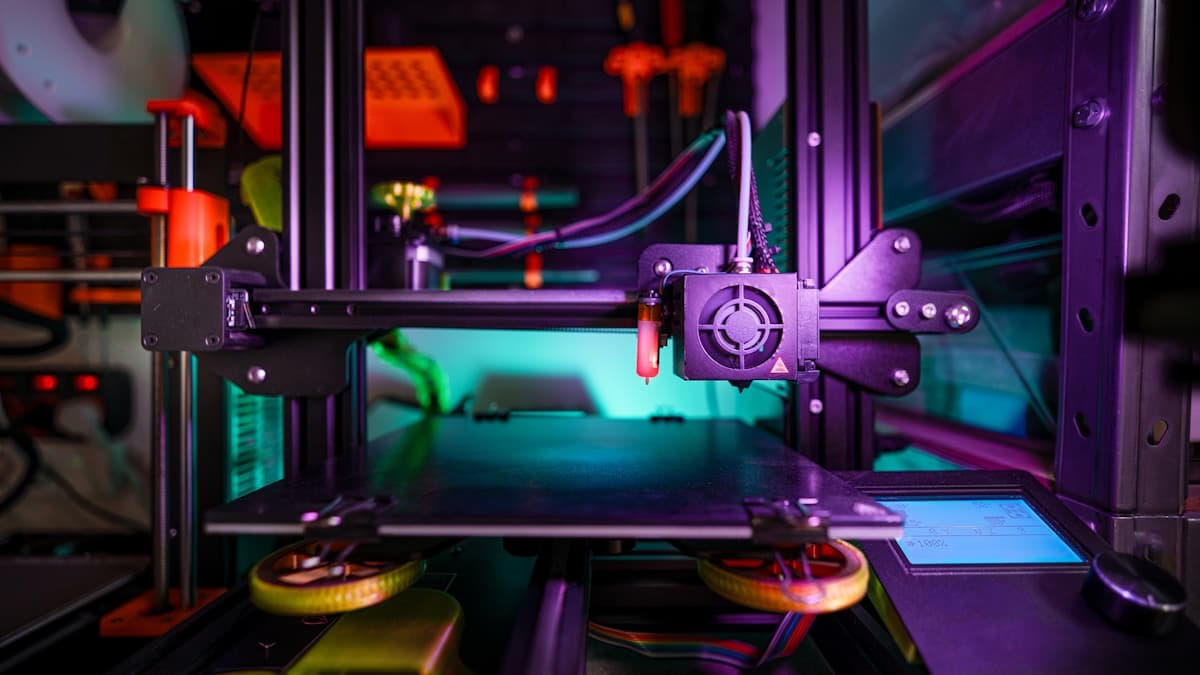
Hero photo by Jakub Żerdzicki on Unsplash.